


Recovery Photo-Recover Files
3.276.00 Reviews
App Specs
- Version
- 1.0.1.3
- Updated On
- License
- Free
- Downloads
- 1,000,000+
- Developer
- SCSOFT
- Categories
- Tools
- Platform
- Android
Screenshots
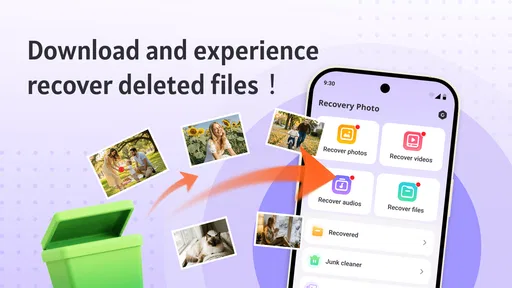
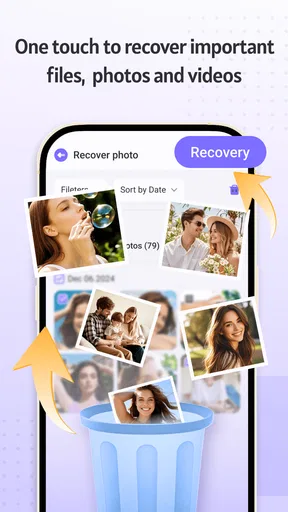
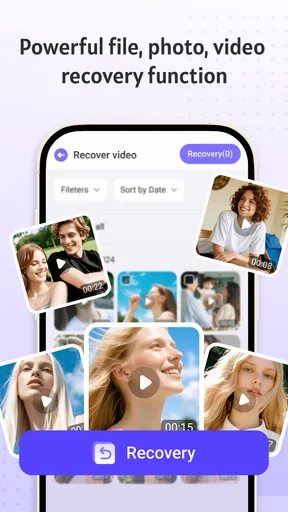
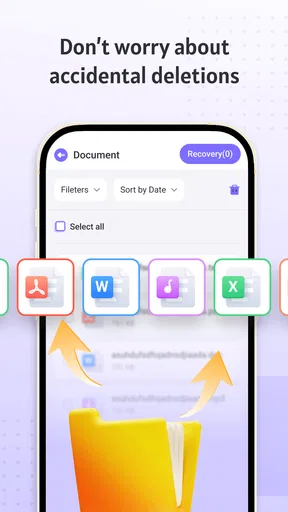

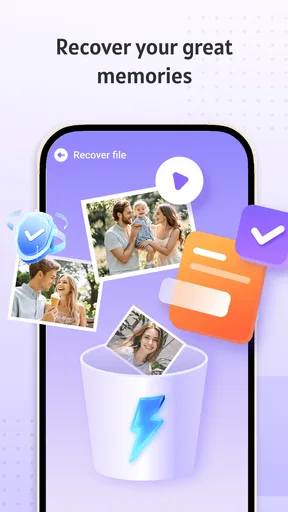
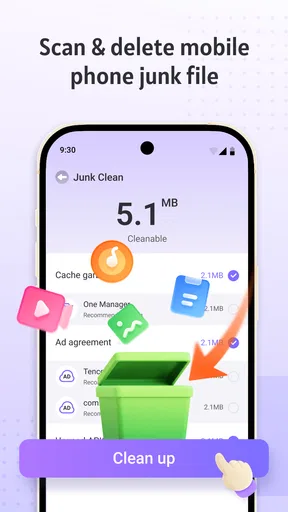

 Analysis by AppCompare
I’m wary of any recovery app that makes a deleted photo sound guaranteed to return. Recovery depends on whether the file’s data is still available, so I’d treat Recovery Photo-Recover Files as a practical attempt, not a substitute for a backup. Its focus is straightforward: help you look for photos, videos, and other files that may still be recoverable on your device. That narrow purpose is useful when you have one missing item and want to check before giving up.
What a photo recovery scan is actually useful for
The value of a scan is not simply the number of thumbnails it finds. It is whether you can identify the right file, decide if it is worth restoring, and avoid filling your device with unwanted copies. A recovery tool can only work with what remains accessible to it; if deleted data has already been overwritten or the item is no longer available to scan, the app may not bring it back. I would start recovery as soon as I notice a deletion and avoid saving lots of new files in the meantime, since that gives a better chance of preserving recoverable data.
This is also why I would not wait until a cleanup session months later to try it. If a photo matters, check promptly, preview the candidates carefully, and restore only the items you recognize. Keeping a separate copy afterward is the sensible next step: recovery is a rescue attempt, while a backup is what protects you before a mistake happens.
How I would use it without making a mess
After opening the app, I would begin with the missing item in mind rather than treating every result as worth restoring. A scan can surface files that look similar, and a vague thumbnail is not enough reason to recover everything. Previewing first helps distinguish a useful image from a duplicate or an unrelated result. When there are several clearly identifiable files, selecting them together can save repeated taps; for a single important picture, a slower one-by-one check is safer.
I would also leave enough free space for the items I want to restore and think about where the recovered files will sit alongside existing photos. The practical trade-off is simple: broad selection is convenient, but selective recovery is easier to review and less likely to clutter a gallery. If the app finds nothing useful, repeated scans are not a reason to assume the photo will eventually appear. I would stop, check any device or cloud backups I already use, and avoid installing several recovery apps in a row without a clear reason.
A realistic moment when it earns its place
Imagine clearing a crowded gallery after a family gathering and realizing later that you removed a few pictures you meant to keep. I would open this app before taking more photos or downloading large files, scan, and inspect the previews for the particular moments I remember. If the images are recognizable, I can choose those rather than restoring every candidate. If they do not appear, I would switch to checking my usual backup or recently deleted area instead of spending the afternoon repeating the same attempt.
That makes the app most useful as a first response to a recent, accidental deletion—not as a way to rebuild an entire photo history. It may also be worth trying when a video or another file disappears, since the app covers more than pictures. For anything irreplaceable, I would still keep another copy somewhere separate from the phone; no scan can promise a successful recovery in every situation.
Worth Reading Before You Choose

EA SPORTS FC Mobile 26 Is a Bigger Football Game, but It Takes Time

Flipboard Shows What News Apps Must Do Beyond the Feed

Switching to Android Auto Means Rethinking Your Driving Routine

Google Calendar Makes a Crowded Week Easier to Manage

Ludo King Makes the Most of the Minutes Between Plans

Baby Panda World Brings Quick Play to Modern Phones, but Its Game Library Feels Busy
Getting Started with Recovery Photo-Recover Files
First things first, downloading the app was a breeze. After installing, the interface greeted me with a straightforward and user-friendly design. The app doesn’t bombard you with unnecessary options — just the essentials. You’re presented with a simple home screen where you can start the recovery process with just a tap. It is a free Tools app from SCSOFT, rated for Everyone, and its current version is 1.0.1.3. It was released on April 2, 2025, and requires Android 8.0 or later. The app has an average rating of 3.2 from around 2.5 thousand ratings, alongside 76 written reviews, and has been installed over a million times. Those figures suggest plenty of people have tried it, but I would still judge it by whether it can locate the particular file I need.
How Does It Work?
The app scans your device for deleted photos and files. It’s surprisingly quick, and before you know it, a list of recoverable items appears. The thrill of seeing those lost photos pop back up is real! Recovery Photo-Recover Files doesn’t just stop at photos; it also recovers videos and other types of files. This versatility is a nice touch for those of us who tend to misplace more than just pictures. In practice, I would think of the scan as a search through items the device can still expose, not a guarantee that every deleted file will be found. A photo that was removed recently is a more realistic candidate than one whose storage space has since been reused.
Features Worth Noting
One of the standout features is the ability to preview files before recovering them. This means you can double-check what you’re bringing back to life. It’s a small detail, but it makes a huge difference, especially when you’re dealing with limited storage space. The app also allows you to select multiple files at once, making the recovery process super efficient. I would use those two options together: preview first, then batch-select only the files I can identify. That avoids turning a targeted recovery into a gallery full of questionable results. For a phone with little free space, this is a particularly useful habit because restoring every candidate may create more housekeeping than it solves.
Where the trade-offs matter
The app’s simplicity is appealing, but a clean home screen cannot remove the limits of file recovery. A scan may return partial, unclear, duplicate, or irrelevant results, and some deleted items may be gone for good. I would not rely on this as my only protection for family pictures, work documents, or anything I could not replace. A regular backup is the better choice for prevention, while this app is for trying to retrieve something after the mistake has already happened.
It is also worth setting expectations about the difference between recovery and restoration. Finding a preview does not automatically mean the recovered copy will be complete or useful, so I would open restored files and check them before deleting anything else or assuming the job is done. If the file is not visible in the scan, checking a recently deleted folder or an existing cloud or computer backup is a more sensible next move than repeatedly running the same search.
The app is free to download, but there are some in-app purchases if you want to unlock extra features. Personally, I found the free version to be quite capable, but if you’re someone who needs extensive recovery options, the premium might be worth considering. Since recovery needs vary, I would first test the free offering on the specific missing file rather than paying in the hope that an upgrade can retrieve data that is no longer available. Its 1.0.1.3 version and modest average rating also make it sensible to try it for a small, clear task before building a recovery routine around it.
Who will get the most from it?
I think this is best suited to someone who has just deleted a photo or video, wants a simple place to begin, and is willing to inspect the results instead of expecting a one-tap miracle. The preview and multi-select approach make sense for a small batch of recognizable files. Someone who regularly captures important material should pair it with a backup system, while a person trying to recover a long-lost file may be better served by checking backups first or seeking a more specialized recovery option.
Compared with the usual alternatives, this app sits between checking a device’s own recently deleted area and turning to a more involved recovery method. The built-in deleted-items folder is often the quickest first check when a file is still there; a backup is more dependable when one exists; and technical recovery tools may suit difficult cases but demand more effort. This app’s appeal is that it offers a direct scan with previews and batch selection. I would choose it for a quick, focused attempt, not as a replacement for those other routes.
Is It Worth It?
So, the million-dollar question: does Recovery Photo-Recover Files deliver on its promises? In my experience, absolutely. It managed to recover a good chunk of the photos I thought were gone forever. However, like any recovery tool, it’s not 100% foolproof. Some files were beyond saving, but that’s par for the course with digital recovery. I would recommend giving it a try when a recent deletion has caught you off guard, while keeping expectations realistic and checking each recovered file before relying on it.
If you’re prone to accidental deletions or just want peace of mind, this app is definitely worth a shot. It’s easy to use, effective, and doesn’t cost a dime unless you opt for premium features. So, why not give it a whirl and see if it can rescue those lost memories for you? My honest advice is to treat it as a convenient first attempt, then protect anything you recover with a separate copy. That combination makes more sense than asking any recovery app to serve as both an emergency fix and a long-term safety net.
Pros
- Recovers various file types effortlessly.
- User-friendly interface for easy navigation.
- Quick scan feature saves time.
- Supports recovery from multiple sources.
- Secure and reliable data restoration.
Cons
- Limited free version features.
- Occasional recovery inaccuracies.
- Ads can be intrusive at times.
- Requires internet for full features.
- May not recover overwritten files.
FAQs for Recovery Photo-Recover Files
What types of files can Recovery Photo-Recover Files restore?
Recovery Photo-Recover Files is designed to recover a wide range of file types, including photos, videos, audio files, and documents. It supports various formats such as JPEG, PNG, MP4, MP3, PDF, and more. This versatility makes it an essential tool for users looking to retrieve lost data from their devices.
Is Recovery Photo-Recover Files compatible with all devices?
While Recovery Photo-Recover Files is compatible with most Android and iOS devices, it's important to check the specific requirements listed on the app store. Some older devices or operating systems might not be supported, which could affect the app's performance or functionality. Ensure your device meets the necessary criteria before downloading.
How does Recovery Photo-Recover Files ensure data privacy and security?
The app prioritizes user privacy by implementing robust security measures. It does not store or share your files with third parties. All data recovery processes occur locally on your device, minimizing any risk of data breaches or unauthorized access. Always review the app's privacy policy for more detailed information.
Are there any limitations on the number of files that can be recovered?
The free version of Recovery Photo-Recover Files may have limitations on the number of files you can recover at once. For unlimited recovery, users may need to purchase the premium version. This option provides unrestricted access and additional features, which can be beneficial for extensive data recovery needs.
What should I do if the app fails to recover my files?
If Recovery Photo-Recover Files does not successfully retrieve your files, ensure that the files have not been permanently deleted or overwritten. Check for updates to the app that might improve recovery capabilities. For further assistance, consult the app's support team, as they may offer solutions or troubleshooting tips specific to your issue.


